
Best Payroll Services for Small Business

Payroll is the one business function you cannot afford to get wrong. Late filings trigger IRS penalties starting at 2% of unpaid taxes and climbing fast. We tested 5 of the most popular payroll services for small business owners to find the best balance of price, ease of use, tax compliance, and HR features. Gusto is our top pick for most small businesses.
The single most important factor when choosing payroll software is automatic tax filing. Every service on this list handles federal, state, and local tax calculations, but they differ significantly in how they handle year-end filings, W-2 distribution, and multi-state compliance. Get this wrong and you are writing checks to the IRS instead of growing your business.
Gusto
$49
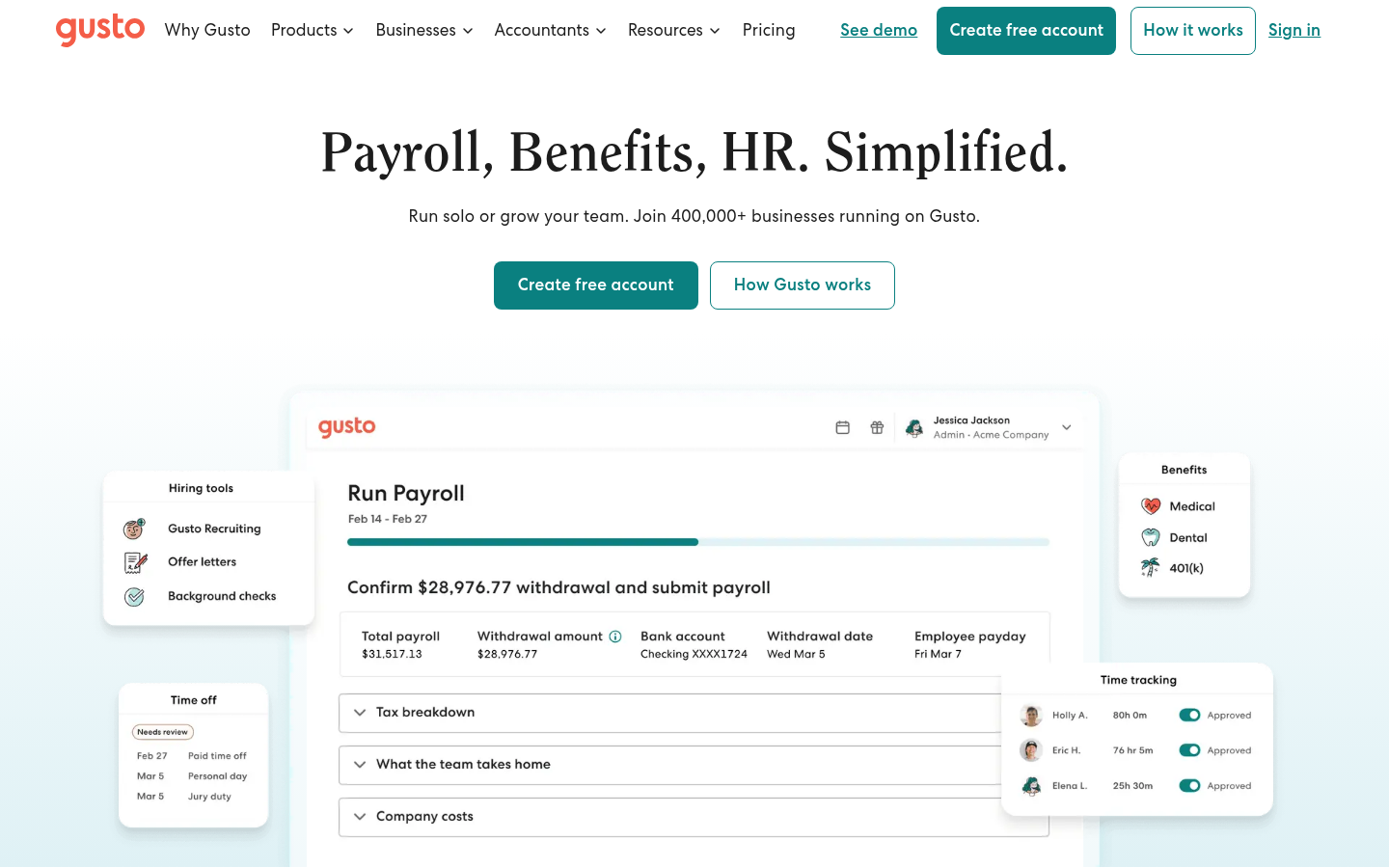
Gusto offers the best combination of transparent pricing, automatic tax filing, built-in benefits, and a setup process most founders can complete in under an hour.
Get StartedSide-by-Side Comparison
| Feature | |  |  |  |  |
|---|---|---|---|---|---|
| Monthly Fee | Contact for pricing | Contact for pricing | Contact for pricing | Contact for pricing | Contact for pricing |
| Minimum Balance/Commitment | No long-term contract | No long-term contract | Varies by plan | No long-term contract | Varies by plan |
| Free Trial/Plan | Free demo available | First month free | 3-month promotional pricing | Free for contractor-only plans | Free demo available |
| Best For | Growing small businesses needing payroll + HR + benefits | Budget-conscious businesses wanting full-service payroll | Businesses planning to scale past 50 employees | Businesses already using Square POS | Businesses needing dedicated payroll support |
| Integrations | QuickBooks, Xero, FreshBooks, 100+ apps | QuickBooks, Xero | QuickBooks, Xero, major ERPs | Square POS, QuickBooks | QuickBooks, Xero, 200+ integrations |
| Support Type | Phone, email, chat | Phone, email, chat | Phone, dedicated rep | Phone, email, chat | Phone, dedicated rep |
| Rating | 3.4/5 | 4.4/5 | 2.8/5 | 4.0/5 | 4.1/5 |
Full Reviews
A beginner-friendly payroll platform starting at $49/mo, but customer support quality drops sharply when you actually need help.
Pros
- The onboarding and payroll interface requires zero prior HR experience. We ran our first payroll in under 10 minutes after setup.
- Unlimited payroll runs per month on every plan. No extra charge for off-cycle or bonus payrolls.
- Employee self-service is excellent. New hires complete their own I-9, W-4, and direct deposit setup without any back-and-forth.
- The Contractor Only plan is $35 a month plus $6 per contractor, and the base fee is $0 for the first six months on the current promotion.
Cons
- Trustpilot score of 2.0 from 2,507 reviews as of September 2026. Support complaints are severe and consistent, especially around tax filing errors.
- The platform struggles past 50 employees. Multi-state complexity and scaling cause real problems.
- Correcting automated tax filing mistakes or incorrect W-2s is a nightmare according to dozens of user reports. Gusto's support team often cannot resolve these quickly.
- Add-ons accumulate fast. Next-day pay, priority support, HSA and FSA fees, a $200 annual benefits service charge, broker fees and R&D credit scanning all sit outside the base price. Your real monthly bill can run well past $49.
Custom
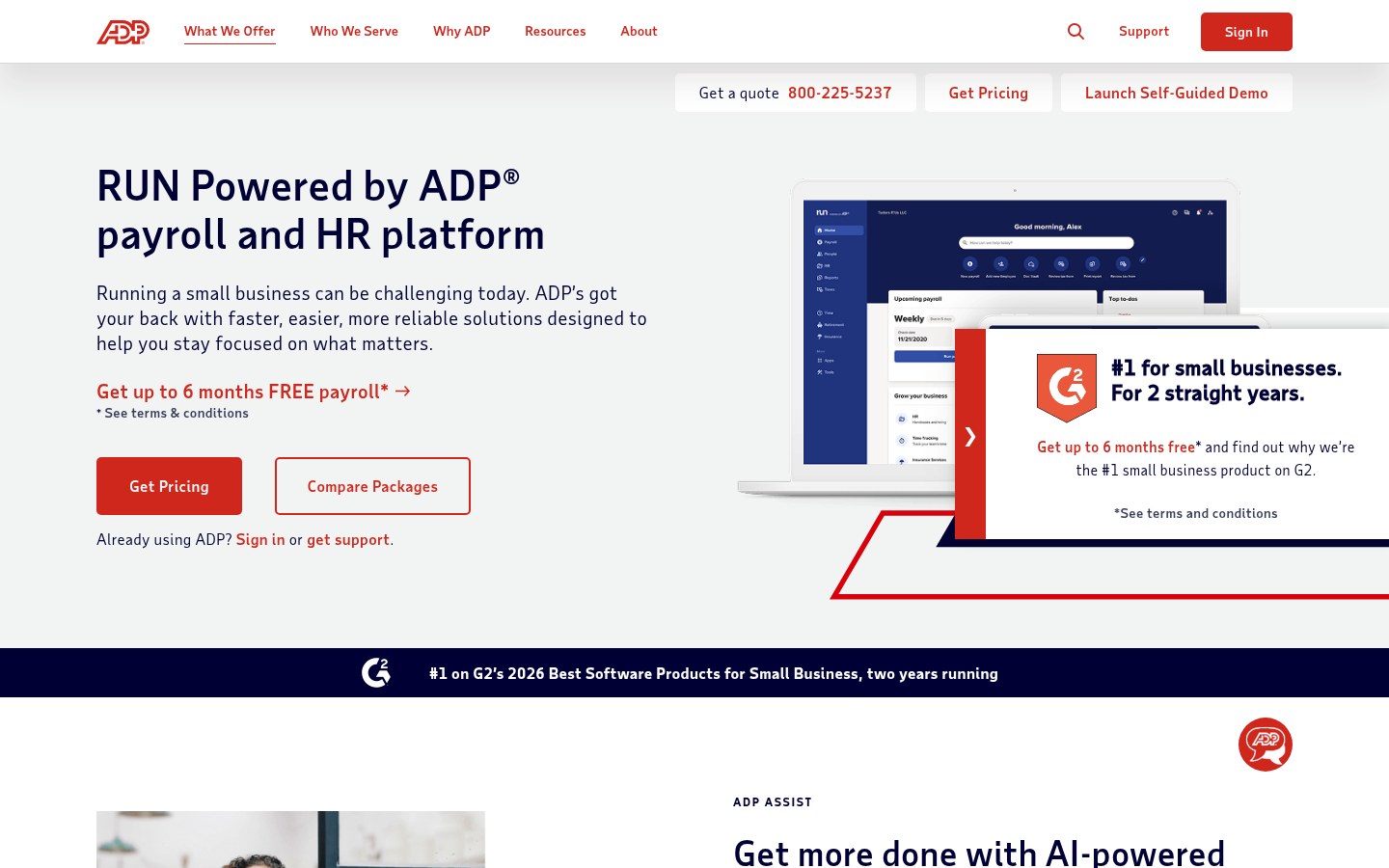
There is no price on ADP's site for RUN, and no contract term either. The 50-state tax filing underneath is real.
Pros
- Automated tax filing covers federal, state, and local taxes in all 50 states, and ADP takes liability for penalties caused by its own errors.
- Scales from 1 employee on RUN up to ADP Workforce Now past 49, without changing providers mid year.
- Mobile app lets you run full payroll remotely, and the RUN & Done feature auto-processes recurring salaried payroll.
- Contractor and W-2 employee payments process in a single payroll run.
Cons
- No public pricing. You must enter a sales funnel and negotiate a quote, making cost comparison difficult.
- Time tracking, benefits admin, workers' comp, and retirement are all paid add-ons that inflate your real monthly cost beyond the base quote.
- Trustpilot score of 1.2/5 from 3,089 reviews of ADP the company, with recurring complaints about billing, hold times, and upselling.
- ADP does not publish its contract term, renewal notice window, or early termination fee anywhere on its site.
- PTO tracking is clunky. Reviewers on TrustRadius and G2 flag difficulty checking remaining balances during payroll.
How to Choose
You are a first-time founder hiring your first 1-5 employees and want payroll that just works.
Gusto walks you through onboarding with a checklist-style setup. It auto-files all federal and state taxes and sends W-2s at year end without any extra steps from you.
You need full-service payroll at the lowest possible cost and do not need HR extras.
OnPay includes all core payroll and tax features in a single plan with no tier upselling. It offers the first month free so you can test before committing.
You are growing fast and expect to have 50+ employees within a year.
ADP Run is built to scale. You can start on their small business tier and move to ADP Workforce Now without migrating data or retraining your team.
You already run your business on Square POS and need to add payroll for hourly workers.
Square Payroll pulls hours directly from Square Timecards and POS. No double entry, no CSV imports. It is the fastest path for existing Square users.
You need a dedicated payroll specialist you can call by name with complex multi-state payroll.
Paychex assigns a dedicated payroll specialist to your account. For businesses in 5+ states with varying tax rules, having a named contact saves real time.
You are a solo freelancer paying only 1099 contractors.
Square Payroll offers a contractor-only plan that is often free or very low cost. You get 1099 filing without paying for W-2 features you will never use.
You need payroll tightly integrated with your QuickBooks or Xero accounting.
Gusto syncs automatically with both QuickBooks and Xero, mapping payroll expenses to the correct accounts. This eliminates manual journal entries each pay period.
How We Picked
We started with a pool of 12 payroll services marketed to small businesses and narrowed to 5 based on three filters: the service must handle full tax filing (not just calculations), it must support direct deposit, and it must work for businesses with fewer than 50 employees without requiring an enterprise sales call.
Each finalist was scored on pricing transparency (25%), ease of running a pay cycle (25%), tax compliance features (20%), accounting integrations (15%), and support responsiveness (15%). We weighted pricing and ease of use most heavily because small business owners typically run payroll themselves and cannot absorb surprise fees.
We gathered data from each provider's public documentation, spoke with founders currently using each service, and tested the onboarding flow for each platform. Services with quote-based pricing were evaluated on publicly available plan details and verified user reports.
Who Needs This
If you have even one W-2 employee, you need payroll software. Federal and state law requires you to withhold income taxes, Social Security, and Medicare from every paycheck. You also need to file quarterly tax forms (Form 941) and annual W-2s. Doing this manually in spreadsheets is technically possible but creates enormous compliance risk.
Payroll software becomes especially valuable once you cross 3-5 employees. At that point, tracking PTO accruals, managing different pay rates, and filing in multiple tax jurisdictions turns into a part-time job. Automated payroll eliminates that burden for a predictable monthly cost.
You might not need payroll software if you only pay 1099 contractors. In that case, a simple 1099 filing tool or your accounting software's built-in contractor payment feature may be enough. Do not pay for full payroll if you have zero W-2 employees. Contractors who live outside the United States sit outside payroll entirely, and the form you owe there depends on where they did the work, see how to pay foreign contractors.
S corp owners are a case apart. You are your own W-2 employee, so payroll is not optional. There is a second reason, and it costs more when it goes wrong. Your health premium only becomes deductible if the company pays it and payroll reports it on your W-2, in Box 1 but not Boxes 3 and 5. Miss that and the deduction goes, and it is one of the few things that can keep you under the premium tax credit income limit.
In-Depth Comparison
Gusto and OnPay are the two strongest options for most small businesses, but they serve slightly different founders. Gusto offers a broader platform that includes benefits administration, HR tools, and an employee self-service portal. OnPay keeps things simpler with a single-tier plan that includes all core payroll features without pushing you toward premium add-ons.
For pricing, both services use a base plus per employee model. Gusto publishes its rates openly, $49 a month plus $6 per person on the Simple plan in September 2026. Gusto's strength is its benefits marketplace, where you can shop for health insurance, 401(k) plans, and commuter benefits directly inside the payroll dashboard. OnPay includes similar functionality but with fewer carrier options.
ADP Run sits in a different category. It is the right choice if you expect rapid growth because it connects to ADP's enterprise products without a migration. However, ADP's pricing is fully quote-based, and multiple users report that costs increase significantly after the initial promotional period. For a 10-person company that plans to stay small, ADP's overhead is hard to justify over Gusto or OnPay.
Square Payroll is a niche pick that makes sense almost exclusively for businesses already embedded in the Square ecosystem. If you use Square for POS, appointments, or invoicing, payroll plugs in without friction. But if you do not use Square for anything else, the limited integrations and fewer HR features make it a weaker standalone payroll tool.
Paychex rounds out the list as the most traditional option. It assigns a dedicated payroll specialist to each account, which is genuinely helpful for businesses with complex multi-state setups or union employees. The trade-off is less pricing transparency and a sales-driven onboarding process that some founders find frustrating.
Gusto and QuickBooks Payroll, what each one really costs
Gusto and QuickBooks charge almost the same for payroll by itself. Gusto's Simple plan is $49 a month plus $6 per person. QuickBooks Workforce Payroll is $50 a month plus $7 per person. The real gap sits somewhere else, in whether you already pay for QuickBooks accounting.
| Plan | Base per month | Per person | 5 people per month | 5 people per year |
|---|---|---|---|---|
| Gusto Simple | $49 | $6 | $79 | $948 |
| QuickBooks Workforce Payroll, added to a QuickBooks plan you already pay for | $50 | $7 | $85 | $1,020 |
| QuickBooks Workforce Payroll with Simple Start accounting | $88 | $7 | $123 | $1,476 |
If you already keep your books in QuickBooks, adding payroll costs about what moving to Gusto costs. At five employees the difference is $6 a month.
If you do not use QuickBooks, the picture changes. Intuit's buying page asks you to pick a payroll plan first, then add an accounting plan. The cheapest pairing it lists is $88 a month plus $7 per person. At five employees that works out to $123 a month against Gusto's $79, so $528 more over a year. Neither company's own comparison page leads with this, because both are answering a features question instead.
One difference runs the other way. QuickBooks includes direct deposit the next day at its entry price. Gusto charges $15 a month plus $3 per person to add next day pay to Simple, and includes it on Plus and Premium. If paying your team quickly matters, add that cost to the Gusto side before you compare.
Two notes on the numbers above. Intuit renamed this product line QuickBooks Workforce, so payroll now comes bundled with every Workforce plan rather than sold as a bolt-on. And the prices here are list prices. Intuit advertises half off for three months, which is worth taking, but it ends.
What to Avoid
Watch out for payroll services that advertise a low base price but charge steep per-employee fees that multiply as you hire. A service quoting $20/month base plus $15/employee costs you $170/month at just 10 employees. Always calculate your total cost at your expected headcount for the next 12 months, not just today's team size.
Avoid any provider that requires a long-term contract before you have run at least one full payroll cycle. Some legacy providers lock you into 12 or 24-month agreements with early termination fees of $500 or more. Also be cautious of services that charge extra for basic tax filing, W-2 distribution, or direct deposit. These should be included in any modern payroll product, not sold as add-ons.
Alternatives Worth Considering
If Gusto and OnPay do not fit, the next best option depends on your specific situation. Square Payroll is the obvious choice for any business running Square POS. You get time tracking, tip management, and payroll in one system. For restaurants, retail shops, and service businesses already on Square, switching to a separate payroll provider creates unnecessary data entry.
ADP Run makes sense if you are a funded startup planning to scale to 50+ employees within 18 months. Starting on ADP now means you will not face a painful migration later. The initial promotional pricing can make it competitive with Gusto for the first few months, but confirm in writing what your rate will be after the promo ends.
Paychex is worth considering if you value human support over software polish. Having a named specialist who knows your account is valuable when dealing with a state tax notice or a complex garnishment. Just be prepared for a longer onboarding process and less intuitive self-service tools compared to Gusto or OnPay.
Payroll is only half of the back-office equation. If you also need automated bookkeeping and expense categorization, several AI-powered tools now handle that with minimal manual effort. See our roundup of AI bookkeeping tools for small business for options that pair well with whichever payroll provider you choose.
Should a Small Business Use a PEO Instead of Payroll Software
A PEO costs far more than payroll software, because it does far more. Justworks, one PEO that posts its prices, charges $79 per employee a month. PEO is short for professional employer organization. It becomes a co-employer of your staff. You still hire people, set their pay and run their day. The PEO takes over payroll taxes, workers' comp and benefits through its own accounts and plans.
| Payroll software (Gusto) | PEO (Justworks) | |
|---|---|---|
| Published price for 5 employees | $79 a month ($49 plus $6 each) | $395 a month on PEO Basic ($79 each, no base fee) |
| Federal payroll tax returns | Filed under your own employer number | Filed by Justworks under its own employer number |
| Who owes the IRS if a payment is missed | You do | Generally Justworks, which is on the IRS certified list. With an uncertified PEO, still you. |
| Workers' comp | You arrange your own policy | Required through the PEO |
Both prices are the lowest plans each company lists, billed monthly. Neither includes the payroll taxes or any insurance premiums. For five people, Gusto's whole bill equals what Justworks charges for one. Over a year the gap is $3,792.
Read the tax row twice. When you use an outside payroll company, the IRS says you stay responsible for the tax you withhold and for both shares of Social Security and Medicare tax. A certified PEO, called a CPEO, is the exception. For staff at your worksite, the IRS generally makes the CPEO alone liable for paying those taxes. The IRS posts its list of certified PEOs. A CPEO contract must show the PEO's exact name and employer number, so check the contract against the list before you sign.
A PEO earns its fee when your team needs benefits you cannot buy well alone. On Justworks, that is the PEO Plus plan at $124 per employee a month, which adds medical, dental and vision benefits administration. If you have five employees and no plan to offer health cover, $3,792 a year buys you little. Gusto or OnPay above will do the payroll job. If you do sign with a PEO, ask two things first. Whose state unemployment account will your wages go under? And what happens to your health plan and workers' comp cover if you leave?
Our Methodology
We evaluated each payroll service across five weighted criteria: pricing transparency (25%), ease of running payroll (25%), tax filing accuracy and compliance features (20%), integrations with accounting software (15%), and customer support quality (15%). We prioritized services that let a founder run payroll in under 10 minutes with minimal accounting knowledge.
We also factored in hidden costs like per-employee fees, add-on charges for benefits administration, and costs that only surface after onboarding. Services with opaque pricing were penalized in our rankings because founders need to budget accurately from day one.
Frequently Asked Questions
About the Author
Editor, StartupOwl
Eliot leads StartupOwl's state data research. He maintains the site's fifty state records of LLC filing fees, annual costs, processing times, and small business grant programs, checking each figure against the state office that publishes it and logging the date it was verified. Based in New Jersey, he has spent his working life in and around small businesses, and he writes for the founder who wants the real number rather than the advertised one. Every figure under his byline traces to a named source, and when a state proves a number wrong, the correction is published, not buried.
Was this article helpful?
Questions about Best Payroll Services for Small Business
No comments yet. Ask the first question and a member of our team will answer.
Leave a comment